Getting started
Deploy your own docs site in one click, then make your first edit.
Deploy in one click
Click Deploy to Cloudflare on the docs.dev template. Cloudflare will:
- Clone the template into your GitHub account — the repo is yours from the first second.
- Build and deploy it to your Cloudflare account, live at
<worker-name>.<your-subdomain>.workers.dev. - Wire up push-to-deploy CI (Workers Builds): every push to your repo's default branch rebuilds and redeploys the site automatically.
No Cloudflare account? The deploy flow creates one — the free tier is more than enough for a docs site.
This content is your starter content
The site you just deployed contains docs.dev's own documentation as working
example pages. Replace it with your own — every page is an MDX file in
content/docs/.
Choose how editors sign in
A fresh deployment has editing disabled — there are no default credentials, on purpose. Pick one:
- Team sign-in (recommended): editors sign in with their docs.dev account; you control membership centrally.
- Standalone: GitHub sign-in (anyone with push access to the repo) and/or a PIN — no docs.dev account involved.
Either way, /admin on your site is the way in.
Make your first edit
-
Open any page on your site and hit Edit page (or go to
/adminand pick one):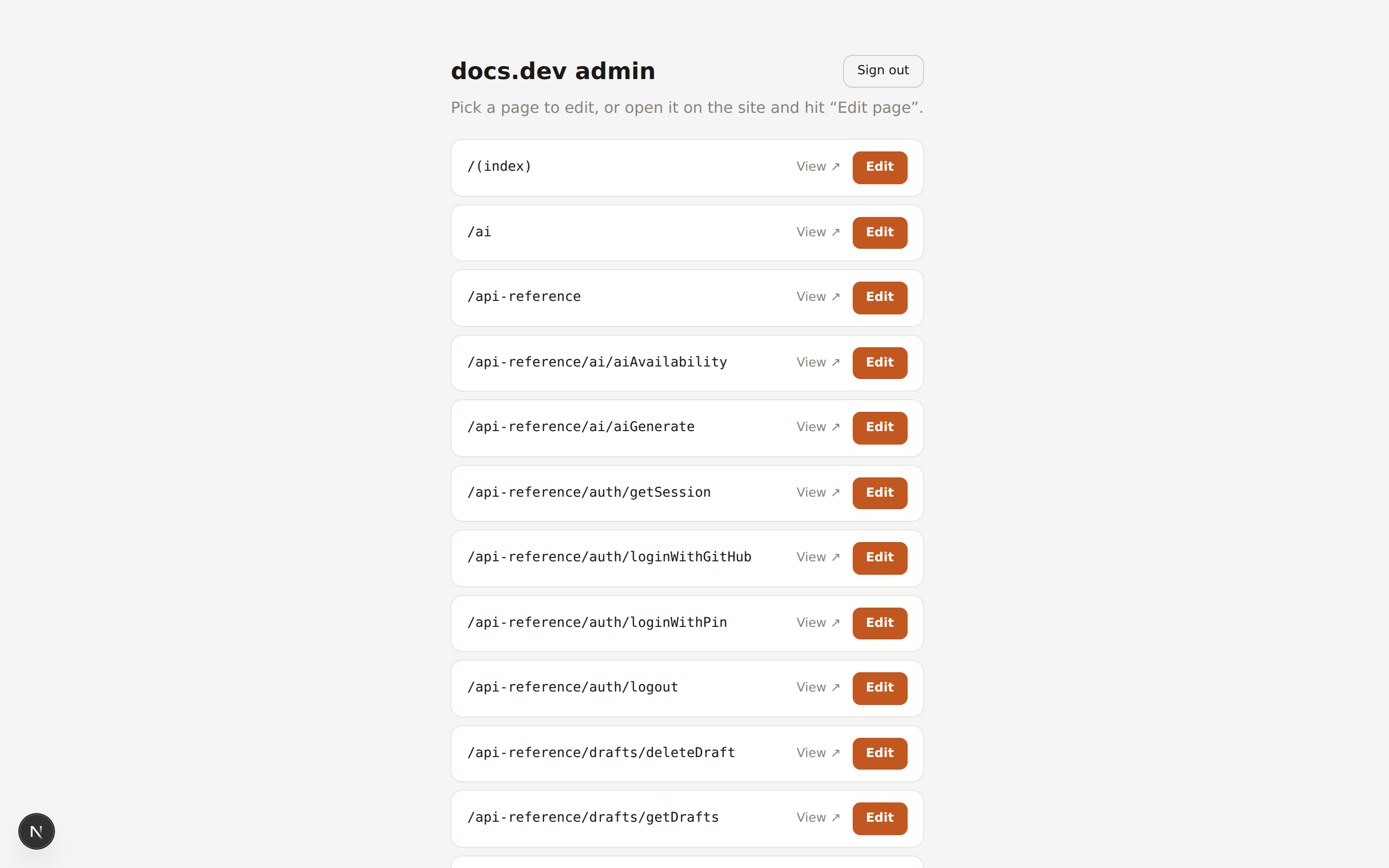
-
Edit right on the page — the layout you see is the layout readers get.
-
Publish. That's a git commit to your repo, and your CI redeploys the site. Live in about a minute.
Prefer files? Every page is content/docs/<slug>.mdx with two lines of
frontmatter:
---
title: Page title
description: One-sentence summary shown in navigation and search.
---

## Start headings at H2

The H1 comes from the title.
Sidebar order lives in content/docs/meta.json. Images go in
public/uploads/ and are referenced as /uploads/name.png.
Or let an agent do it
The repo ships a CLAUDE.md documenting all of the conventions above, plus a
/new-page skill. Point Claude Code at your
clone and ask for what you want:
git clone https://github.com/<you>/<your-docs-repo>
cd <your-docs-repo>
claude
# > add a quickstart page for our API and put it after getting-started
Claude writes the MDX, updates the nav, runs the checks, and pushes — and the push deploys.
Local development
pnpm install
pnpm dev            # http://localhost:3000
pnpm types:check    # validates MDX frontmatter + types — run before pushing
pnpm cf:preview     # run the real Cloudflare Worker locally
Custom domain
Your site is a Cloudflare Worker, so custom domains are first-class: in the Cloudflare dashboard, open your Worker → Settings → Domains & Routes → add your domain. If you use team sign-in, update your site's registered redirect URI to the new domain afterwards.